Software Testing Basics 2026 – Beginner’s Guide to Quality & Automation
In the fast-evolving world of software development, one thing remains constant the importance of quality. Whether you are developing a simple mobile app or a complex enterprise system, untested software can result in bugs, crashes, and security vulnerabilities for end users. This is why understanding software testing basics is essential for developers, QA engineers, and all tech professionals.
Testing is no longer just about finding bugs. Modern software development now integrates automation, AI, continuous integration, and security validation into the testing process. This complete guide will cover everything from the fundamentals to advanced trends in software testing explained in a structured, easy-to-read manner.
What is Software Testing?

Software testing is a systematic process used to evaluate whether a software application functions according to its intended requirements. Its purpose is not only to detect defects but also to ensure that the software is reliable, secure, and user-friendly.
For instance, if you have built a to-do list app that helps users manage tasks, testing will ensure that users can add tasks, delete them, save their progress, and that the app works smoothly across different devices. Testing can be compared to a test drive for a car; until you drive it, you cannot be sure it will function correctly in real-world conditions.
Why Software Testing is Important in Modern Development
Skipping testing can have serious consequences. Users may encounter app crashes, data loss, and security breaches and leave negative reviews, potentially damaging your brand reputation.
Software testing ensures:
- Reliability: The product functions under expected and unexpected conditions.
- User Experience: Users have a smooth and bug-free experience.
- Business Alignment: Software meets business goals and functional requirements.
Fixing a defect during development is far less expensive than patching it post-launch. Modern testing focuses not only on bug detection but also on overall user experience and security.
The Evolution of Software Testing
Earlier, testing was mostly manual and performed at the end of development. Today, the scenario has changed. Testing is now integrated throughout the development lifecycle, automated regression testing is common, CI/CD pipelines incorporate continuous testing, and AI-based tools provide self-healing capabilities. Testing has become a continuous activity rather than a final step.
Core Fundamentals of Software Testing
- Test Early and Test Often: Start testing at the beginning of the SDLC. Early testing allows requirements validation, design review, and unit tests to be completed sooner.
- Exhaustive Testing is Impossible: Testing every possible input and scenario is not feasible. Risk-based testing and prioritizing critical features is essential.
- The Pesticide Paradox: Running the same tests repeatedly may detect obvious bugs but miss new ones. Update test cases and include exploratory testing.
- Bug Clustering: Defects often cluster in specific modules. If multiple bugs are found in one feature, further investigation is necessary.
- Testing Shows Presence of Defects, Not Absence: Testing identifies potential defects but cannot prove the software is entirely bug-free.
Software Testing Life Cycle (STLC)
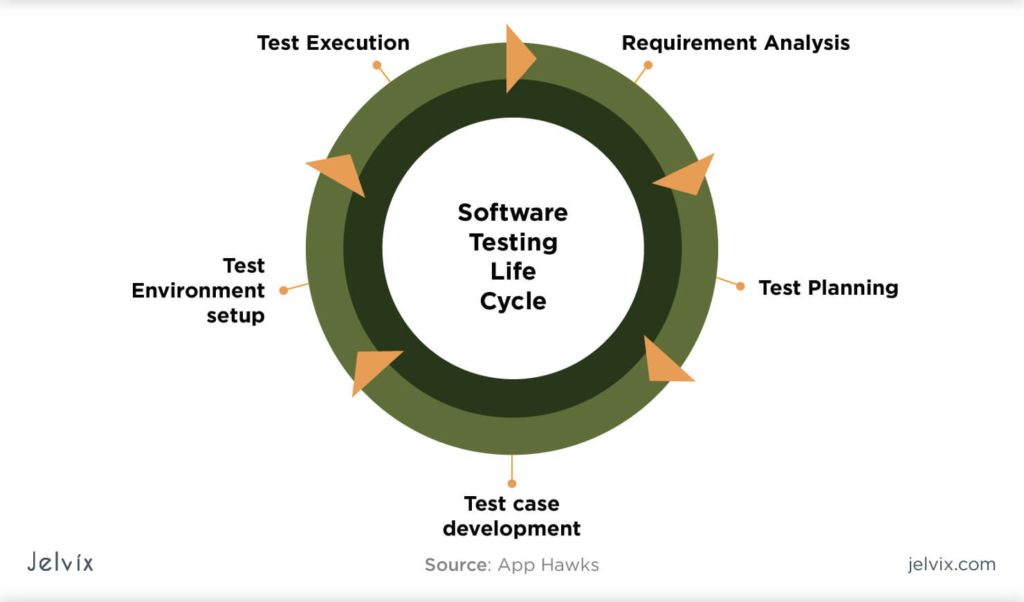
Requirement Analysis
Testers analyze requirements to ensure they are clear and testable. This phase helps define the project scope and identify missing elements early.
Test Planning
Test planning involves defining the testing scope, strategy, assigning resources, and creating timelines. This ensures the testing process is organized and aligned with business objectives.
Test Case Design
- Testers write detailed test cases including input data, expected output, preconditions, and step-by-step instructions.
- This phase simplifies execution and defect reporting.
Test Execution
- Test cases are executed against the application.
- Actual results are compared with expected results.
- Defects are logged and re-tested once fixed.
Test Closure
- Prepare final reports summarizing results.
- Document lessons learned.
- Analyze metrics to improve future testing cycles.
Types of Software Testing
Functional Testing
Functional testing ensures that the software behaves according to its functional requirements. Example: verifying login functionality, adding products to a cart, or processing payments.
Non-Functional Testing
Non-functional testing evaluates the software’s performance, usability, and reliability.
- Performance Testing: Measures system response under load and stress.
- Security Testing: Detects vulnerabilities and protects user data.
- Usability Testing: Ensures the user interface is intuitive and easy to navigate.
Regression Testing
Regression testing ensures that existing functionality continues to work after updates or changes.
Levels of Software Testing
- Unit Testing: Tests individual components, typically performed by developers.
- Integration Testing: Verifies that different modules interact correctly.
- System Testing: Tests the entire system end-to-end.
- Acceptance Testing (UAT): Business users confirm the software meets requirements before release.
Manual vs Automated Testing
Manual Testing
Manual testing involves human testers interacting with the application to identify issues. Useful for exploratory testing and usability testing.
Example: A tester manually explores the to-do app to check if the interface is intuitive and features function correctly.
Automated Testing
Automated testing uses scripts and tools to run repetitive test cases automatically. Ideal for regression and load testing.
Example: Automated tests repeatedly verify that tasks can be added, saved, and synchronized without errors.
Key Differences
- Manual Testing: Flexible, time-consuming, relies on human judgment.
- Automated Testing: Fast, repeatable, requires initial setup and scripting.
- Best Approach: Use a hybrid approach combining both for optimal coverage and efficiency.
Modern Software Testing Trends in 2026
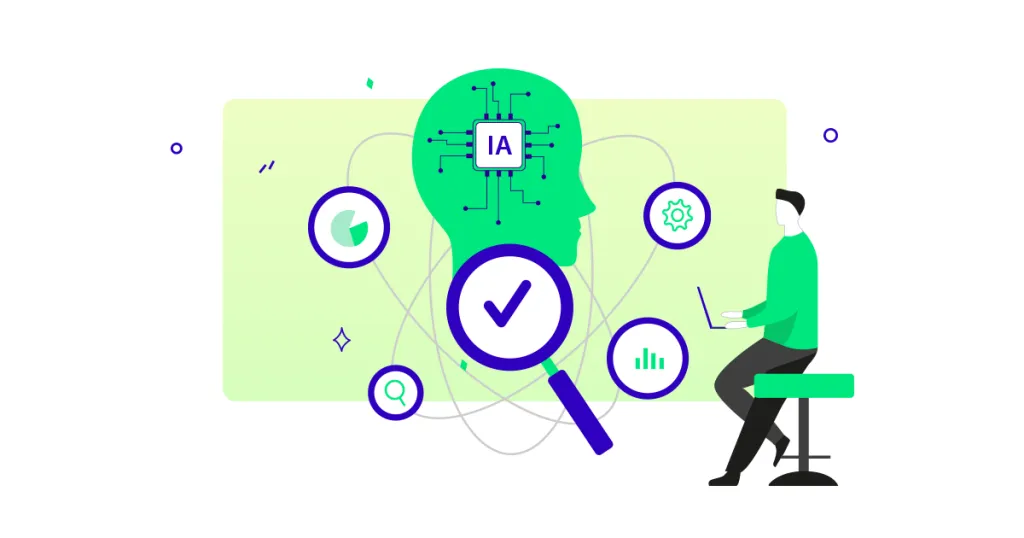
- AI in Software Testing: AI tools generate test cases, analyze failures, and detect patterns.
- Self-Healing Test Automation: Automatically updates broken UI element selectors.
- Shift-Left Testing: Moves testing to earlier stages of development, reducing cost and risk.
- Continuous Testing in CI/CD: Automated tests run on every code commit, catching bugs immediately.
Security as a Core Testing Fundamental
Continuous security testing includes:
- Static code analysis
- Dynamic testing
- Dependency scanning
- API validation
As AI-powered attacks grow, proactive security testing is crucial to protect applications and user data.
Roles and Responsibilities in Software Testing
- Developers: Perform unit and integration tests.
- QA Engineers: Handle functional, regression, and exploratory testing.
- Automation Engineers: Design scripts and manage CI/CD integration.
- Security & Performance Testers: Conduct penetration, load, and stress tests.
- End Users (UAT): Validate the product in real-world scenarios before launch.
Practical Example: Testing an E-Commerce Application
- Development Phase: Developers write unit tests for product listings.
- Integration Phase: Payment gateway integration testing.
- System Testing: Verify complete order placement flow.
- Performance Testing: Simulate high traffic conditions.
- Security Testing: Ensure encryption and secure data handling.
- Regression Testing: Validate existing features after new updates.
Common Mistakes in Software Testing
- Testing only at the end of development.
- Ignoring documentation.
- Over-reliance on automation.
- Using outdated test cases.
- Skipping security testing.
Future Trends in Software Testing
- Autonomous AI-driven testing.
- Continuous quality engineering.
- Security-first testing approach.
- Cloud-based test environments.
- Observability-driven testing.
Testing is evolving from defect-finding to holistic quality engineering, focusing on user experience, reliability, and security.
FAQ
1: What is software testing and why is it important?
Software testing ensures that applications function correctly, remain secure, and meet user requirements. It detects bugs early, improves reliability, and enhances the overall user experience.
2: What are the main types of software testing?
The main types are functional testing, non-functional testing, regression testing, performance testing, security testing, usability testing, and acceptance testing, each addressing different aspects of software quality.
3: What is the difference between manual and automated testing?
Manual testing requires human intervention to identify bugs and explore software, while automated testing uses scripts and tools to run repetitive tests efficiently and consistently.
4: When should software testing be performed?
Testing should be performed throughout the software development lifecycle, including requirements analysis, development, system testing, user acceptance testing, and maintenance after release.
5: Who is responsible for software testing?
Developers handle unit and integration tests, QA testers manage functional and regression tests, automated engineers run scripts, security experts focus on vulnerabilities, and end users perform acceptance testing.
Conclusion
Software testing is not a one-time task but a continuous process throughout the software lifecycle. Developers, QA engineers, automated test engineers, end users, and security specialists all play a role in ensuring the product is reliable, secure, and user-friendly.
Strong fundamentals like early testing, risk-based approaches, and structured STLC processes guarantee quality. Modern techniques like AI-driven automation, shift-left testing, and continuous security validation help deliver high-quality, secure, and scalable software.Quality is never accidental it is achieved through structured testing and disciplined engineering.