Best Cloud Accounting Software 2026 – Features, Pros & Cons
In today’s digital business environment, companies are moving their financial operations online. One of the biggest changes in modern accounting is the rise of cloud accounting software. Instead of installing accounting programs on a single computer, businesses can now manage their finances using secure online platforms.
Cloud accounting software allows companies, accountants, and business owners to access financial data from anywhere with an internet connection. This flexibility helps organizations track income, manage expenses, generate reports, and collaborate with teams more efficiently. As remote work and digital transformation continue to grow, cloud accounting solutions are becoming an essential tool for businesses of all sizes.
Another reason for the increasing popularity of cloud accounting systems is automation. Many cloud platforms automatically categorize transactions, generate invoices, reconcile bank accounts, and provide financial insights in real time. This saves time, reduces manual errors, and helps business owners focus on growth rather than administrative tasks. In this guide, we will explore how cloud accounting software works, its key features, benefits, and some of the best tools available today.
What is Cloud Accounting Software?
Definition of Cloud Accounting
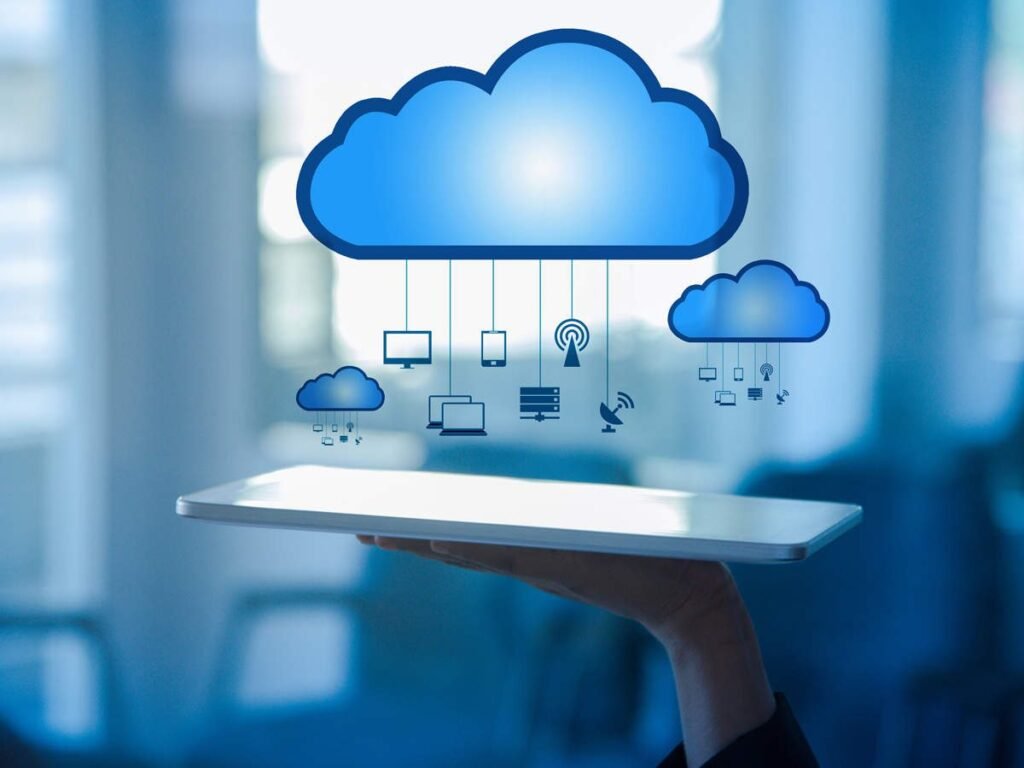
Cloud accounting software is an online financial management system that stores accounting data on remote servers instead of a local computer. Users can access the software through a web browser or mobile application, making it easy to manage financial records from anywhere.
Traditional accounting software requires installation on a computer and manual updates. Cloud-based systems, on the other hand, run on secure servers and provide automatic updates, real-time data access, and online backups. This approach simplifies accounting processes and ensures that financial information is always up to date.
Cloud accounting platforms are widely used by small businesses, startups, freelancers, and large enterprises. They provide tools for invoicing, expense tracking, financial reporting, tax preparation, and collaboration with accountants or financial teams.
Cloud Accounting vs Traditional Accounting Software
Traditional accounting software stores financial data on a local computer or company server. This means users must work from a specific location, and data backups must be handled manually. While this approach was common in the past, it often limits accessibility and collaboration.
Cloud accounting software eliminates these limitations by storing data online. Users can log in from any device and work with updated financial information in real time. Automatic backups also reduce the risk of data loss caused by hardware failure or system crashes.
Another important difference is software maintenance. Traditional systems require manual updates and IT support, while cloud solutions update automatically. This ensures users always have access to the latest features and security improvements without additional effort.
How Cloud Accounting Software Works
Cloud Storage and Online Access
Cloud accounting software stores financial data on remote servers managed by the service provider. When users log in through their web browser or mobile application, they connect to these servers and access their accounting information instantly.
Because data is stored online, users are not limited to a single device or location. Business owners can review financial reports from home, accountants can update records remotely, and team members can collaborate without sharing files manually.
Real-Time Financial Data Processing
One of the most powerful features of cloud accounting software is real-time data processing. When a transaction occurs, the information is immediately updated in the system. This means financial reports and dashboards always reflect the most current data.
For example, when a customer payment is received or a bill is recorded, the software automatically updates account balances, income reports, and expense records. This real-time visibility helps businesses make faster and more informed financial decisions.
Integration with Business Tools
Modern cloud accounting platforms integrate with many other business tools. These integrations allow companies to connect payment gateways, banking services, payroll systems, and e-commerce platforms.
For instance, when a sale occurs in an online store, the transaction can automatically appear in the accounting software. Similarly, bank transactions can be imported and categorized automatically, reducing the need for manual data entry.
Key Features of Cloud Accounting Software

The most effective cloud accounting platforms provide a wide range of features designed to simplify financial management. Important features include:
- Real-time financial tracking – Monitor income, expenses, and account balances instantly.
- Automated invoicing – Create and send professional invoices to clients quickly.
- Expense management – Record and categorize expenses for accurate bookkeeping.
- Bank reconciliation – Automatically match bank transactions with accounting records.
- Multi-user access – Allow multiple team members or accountants to work in the system simultaneously.
- Financial reporting tools – Generate reports such as profit and loss statements, balance sheets, and cash flow summaries.
These features help businesses maintain organized financial records while reducing the time required for routine accounting tasks.
Benefits of Using Cloud Accounting Software
Cloud accounting systems provide several advantages compared to traditional accounting methods. These benefits make them a popular choice for modern businesses.
- Access from anywhere – Users can manage financial data from any location with internet access.
- Improved collaboration – Teams and accountants can work on the same financial records in real time.
- Automatic updates – Software providers regularly update the system without requiring manual installation.
- Lower upfront costs – Most platforms use subscription models, eliminating the need for expensive hardware or licenses.
- Better financial insights – Real-time reports and dashboards help business owners understand their financial performance quickly.
These advantages allow companies to operate more efficiently while maintaining accurate financial records.
Pros and Cons of Cloud Accounting Software
Pros
- Access Anywhere: Users can manage financial data from any location using the internet.
- Real-Time Updates: Businesses get instant financial reports and updated records.
- Easy Collaboration: Multiple users like accountants and team members can work together on the same system.
- Automatic Backups: Cloud systems automatically store and back up important financial data.
- Cost-Effective: Many cloud tools offer affordable subscription plans compared to traditional software.
Cons
- Internet Required: A stable internet connection is necessary to access the system.
- Ongoing Subscription Fees: Monthly or yearly costs may increase over time.
- Data Security Concerns: Storing financial data online may create privacy concerns for some users.
- Limited Customization: Some platforms may not allow advanced customization for complex needs.
- Learning Curve: Beginners may need time to understand and use the software effectively.
Best Cloud Accounting Software in 2026
Many cloud accounting platforms are available today, each designed for different business needs. Below are some of the most popular options used by accounting firms and businesses worldwide.
QuickBooks Online – Best Overall Cloud Accounting Software
QuickBooks Online is one of the most widely used cloud accounting platforms. Developed by Intuit, it provides a comprehensive set of tools for managing finances, including invoicing, expense tracking, tax calculations, and financial reporting.
The platform supports multiple currencies and integrates with many third-party applications, making it suitable for businesses operating in different markets. QuickBooks Online also offers several subscription plans, allowing companies to choose features that match their specific needs.
Because of its powerful features and ease of use, QuickBooks Online is often considered the best overall cloud accounting software for small and medium-sized businesses.
Xero – Best for Efficiency and Collaboration
Xero is a cloud accounting platform designed for collaboration and efficiency. It allows multiple users to access financial data simultaneously, making it ideal for teams and accounting firms.
The software includes features such as invoice management, expense tracking, project monitoring, and bank reconciliation. Xero also supports integration with hundreds of third-party business applications.
Its user-friendly interface and strong collaboration tools make Xero a popular choice for companies that need flexible and scalable accounting solutions.
FreshBooks – Easiest Cloud Accounting Software to Use
FreshBooks is known for its simple and intuitive design. It is particularly popular among freelancers, consultants, and small business owners who want an easy way to manage their finances.
The platform offers tools for creating invoices, tracking expenses, recording billable hours, and managing payments. FreshBooks also provides useful financial reports that help users understand their business performance.
Because of its simplicity, FreshBooks is often recommended for individuals who have little accounting experience but still need reliable financial management tools.
Zoho Books – Best for Small and Medium Businesses
Zoho Books is part of the larger Zoho ecosystem of business software. It offers a wide range of accounting features designed for small and medium-sized businesses.
The platform includes tools for managing invoices, tracking sales and purchase orders, handling multi-currency transactions, and monitoring financial performance. Zoho Books also offers an accounting client portal that allows accountants and clients to collaborate easily.
Its flexibility and integration with other Zoho applications make it a strong option for businesses that want a complete digital management system.
Wave Accounting – Most Budget-Friendly Option
Wave Accounting is a popular cloud accounting platform for small businesses and freelancers looking for a low-cost solution. One of its main advantages is that many of its core features are available for free.
The platform provides tools for invoicing, expense tracking, income management, and financial reporting. It also allows users to send payment reminders and accept payments directly through invoices.
Because of its affordability and simplicity, Wave Accounting is a great option for startups and small businesses with limited budgets.
Sage Intacct – Best for Scalability
Sage Intacct is a powerful cloud accounting platform designed for businesses that require advanced financial management features. It offers automation tools, advanced reporting capabilities, and strong security measures.
The platform is known for its scalability, meaning it can support growing businesses as their financial operations become more complex. It also uses artificial intelligence to help detect errors and automate routine accounting tasks.
NetSuite – Best for Medium to Large Enterprises
NetSuite is an enterprise-level cloud accounting solution that integrates accounting with other business operations such as customer relationship management, inventory management, and e-commerce.
The platform uses enterprise resource planning (ERP) technology to streamline financial processes and improve overall business efficiency. Because of its advanced features, NetSuite is typically used by medium and large organizations.
Kashoo – Easiest Accounting Software to Set Up
Kashoo focuses on simplicity and quick setup. It allows users to start managing their finances within minutes without complicated configuration.
The software offers features such as expense tracking, invoicing, and automated bookkeeping. Its simple design makes it suitable for small businesses that want an easy accounting solution.
Neat – Best for Managing Multiple Expenses
Neat is a cloud accounting platform designed to handle large numbers of receipts and expense records. It provides tools for document storage, expense tracking, and collaboration.
Businesses that manage many transactions or need to organize financial documents often find Neat particularly useful.
SmartVault – Best for Secure Document Management
SmartVault focuses on secure document storage and sharing. It provides accounting firms with a centralized platform for managing sensitive financial documents.
The software helps businesses organize files, improve collaboration, and maintain compliance with data protection regulations.
Cloud Accounting Software Comparison Table
| Software | Best For | Key Features | Pricing | Free Plan | Ideal Users |
| QuickBooks Online | Overall Best | Invoicing, expense tracking, tax management, bank reconciliation, integrations | Paid plans (Simple Start, Essentials, Plus, Advanced) | No | Small to medium businesses |
| Xero | Collaboration & Efficiency | Multi-user access, project tracking, invoicing, bank reconciliation, integrations | Starter, Standard, Premium | No | Growing businesses and teams |
| FreshBooks | Ease of Use | Simple interface, time tracking, invoicing, expense tracking, tax reports | Lite, Plus, Premium, Select | No | Freelancers & small businesses |
| Zoho Books | SMBs | Client portal, inventory tracking, invoices, automation, multi-currency | Free, Standard, Professional, Premium, Elite, Ultimate | Yes | Small and medium businesses |
| Wave Accounting | Budget Friendly | Free invoicing, income tracking, expense management, unlimited users | Mostly Free (paid add-ons) | Yes | Freelancers & startups |
| Sage Intacct | Scalability | AI automation, financial reporting, compliance tools, advanced accounting | Custom pricing | No | Large or scaling businesses |
| NetSuite | Enterprises | ERP integration, financial management, CRM, inventory management | Custom pricing | No | Medium to large enterprises |
| Kashoo | Easy Setup | Simple bookkeeping, invoicing, expense tracking, automation | Paid plans | No | Small businesses |
| Neat | Expense Tracking | Receipt scanning, expense tracking, financial reports, secure storage | Single plan | No | Businesses with many receipts |
| SmartVault | Document Management | Secure document storage, file sharing, compliance tools | Custom pricing | No | Accounting firms managing documents |
How to Choose the Best Cloud Accounting Software

Selecting the right cloud accounting software depends on several key considerations.
- Business size – Small businesses may prefer simple tools, while larger companies may require advanced features.
- Budget – Subscription pricing varies between platforms, so businesses should choose software that fits their financial resources.
- Integration options – The software should connect easily with existing tools such as payment systems and e-commerce platforms.
- Security features – Data protection and encryption are essential when storing financial information online.
- Ease of use – A user-friendly interface helps teams learn and adopt the system quickly.
Considering these factors helps businesses select software that supports both their current operations and future growth.
Common Limitations of Cloud Accounting Software
Although cloud accounting software offers many benefits, it also has some limitations that businesses should consider.
Internet Dependency
Cloud accounting systems require a stable internet connection. Without internet access, users may not be able to access their financial data or perform accounting tasks.
Data Privacy Concerns
Because financial data is stored online, some businesses worry about data security. While most providers use strong encryption and security protocols, organizations must still ensure they choose reputable platforms.
Limited Customization
Some cloud accounting platforms provide fewer customization options compared to traditional enterprise accounting systems. This may limit flexibility for businesses with complex financial processes.
Subscription Costs Over Time
While cloud software often has lower initial costs, monthly subscription fees can accumulate over time. Businesses should evaluate long-term costs when selecting a platform.
Is Cloud Accounting Software Safe?
Data Encryption and Security Measures
Most cloud accounting providers use advanced encryption technologies to protect financial data. This ensures that sensitive information remains secure during storage and transmission.
Backup and Disaster Recovery
Cloud systems automatically back up data on secure servers. If hardware failure or system errors occur, businesses can quickly restore their financial records.
Compliance and Data Protection
Many cloud accounting platforms comply with international data protection standards. This helps businesses maintain legal compliance and protect customer information.
Future of Cloud Accounting Software
AI and Automation in Accounting
Artificial intelligence is becoming an important part of modern accounting software. AI tools can automatically categorize transactions, detect financial anomalies, and generate predictive insights.
Real-Time Financial Analytics
Future accounting systems will provide even more advanced analytics tools, allowing businesses to monitor performance and forecast financial trends instantly.
Integration with Business Ecosystems
Cloud accounting platforms will continue integrating with other digital business tools such as inventory management, payroll systems, and customer relationship management software.
FAQ
1. What is cloud accounting software?
Cloud accounting software is an online financial management system that allows businesses to store and manage accounting data on secure servers and access it from any device with internet access.
2. Which cloud accounting software is best for small businesses?
Several platforms work well for small businesses, including QuickBooks Online, Xero, and Zoho Books. These tools provide essential features such as invoicing, expense tracking, and financial reporting.
3. Is cloud accounting software secure?
Yes, most cloud accounting platforms use advanced encryption and security protocols to protect financial data. They also provide automatic backups and disaster recovery systems.
4. Can multiple users access cloud accounting software?
Yes, one of the main benefits of cloud accounting systems is multi-user access. Teams and accountants can work on the same financial records simultaneously from different locations.
5. What are the benefits of cloud accounting systems?
Cloud accounting systems offer remote access, real-time financial tracking, improved collaboration, automatic updates, and better financial insights.
Conclusion
Cloud accounting software has transformed the way businesses manage their finances. By providing real-time access to financial data, automated accounting processes, and powerful reporting tools, these platforms help organizations operate more efficiently.
From small startups to large enterprises, companies can benefit from the flexibility and scalability offered by cloud accounting systems. While each platform has its own strengths and limitations, choosing the right software depends on the specific needs of the business.
As technology continues to evolve, cloud accounting solutions will become even more advanced, integrating artificial intelligence, automation, and deeper business insights. Businesses that adopt these modern tools will be better prepared to manage their finances, improve efficiency, and achieve long-term success.