10 Best Graphic Design Software Tools in 2026 (Free & Paid Picks)
Graphic Design Software plays a crucial role in modern digital creativity, helping designers transform ideas into visually appealing content. From creating logos and social media graphics to designing websites and marketing materials, these tools provide powerful features that simplify the design process. Both beginners and professional designers rely on graphic design software to improve productivity, enhance creativity, and produce high-quality visuals.
Today, there are many options available, including free and paid tools with advanced capabilities such as vector editing, photo manipulation, and AI-powered design assistance. Choosing the right software can make a significant difference in workflow and results. In this guide, we will explore the best graphic design software and its key features.
Top Paid Graphic Design Software
Adobe Creative Cloud
- Collection of over 20 desktop and mobile apps including Photoshop, Illustrator, InDesign, and XD.
- Subscription-based with plans for individuals, students, and businesses.
- Seamless integration across apps, cloud storage, and regular updates.
- Ideal for digital art, photo editing, web design, UX, and video projects.
CorelDRAW
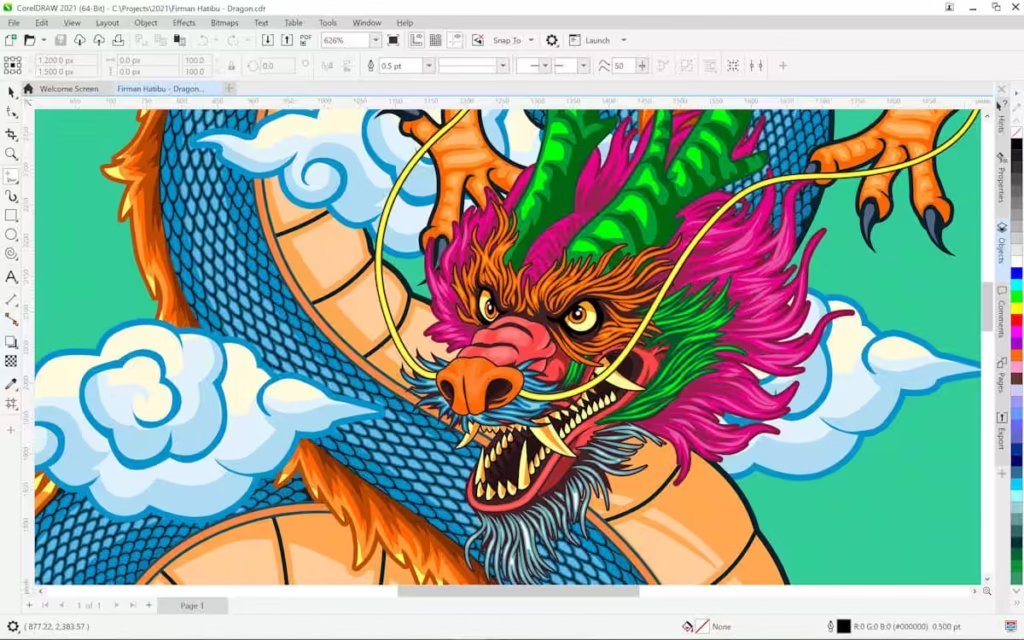
- Available as one-time purchase or subscription.
- Powerful vector illustration, page layout, and typography tools.
- Highly customizable interface and extensive file compatibility.
- Popular for logo design, marketing materials, and product packaging.
Affinity Designer
- One-time purchase with no subscription required.
- Robust vector and raster tools for illustrations, icons, and UI design.
- Clean and fast interface with high performance for professional work.
- Cost-effective alternative to Adobe Illustrator.
Sketch
- Vector-based tool focused on UX/UI and prototyping.
- Subscription-based, macOS only.
- Offers collaborative features and plugin ecosystem.
- Preferred for web and mobile interface design projects.
Xara Designer Pro X
- One-time purchase with optional updates.
- Blend of photo editing, desktop publishing, and graphic design.
- Intuitive drag-and-drop interface, fast and flexible.
- Suitable for web graphics, print design, and complex visual effects.
QuarkXPress
- One-time purchase, with optional upgrades for newer versions.
- Desktop publishing software for complex page layouts and typography.
- Supports a wide range of digital formats and print outputs.
- Highly precise and professional-grade for publishing industry projects.
Top Free Graphic Design Software
Gravit Designer
- Platforms: Online, Windows, macOS, Linux, ChromeOS
- Vector editing tool with intuitive interface and workspace presets.
- Ideal for icons, presentations, illustrations, and animations.
Inkscape
- Platforms: Windows, macOS, Linux
- Open-source vector graphics editor supporting SVG, AI, PDF, EPS, PNG.
- Great for detailed vector illustrations, layered designs, and custom shapes.
Krita
- Platforms: Windows, macOS, Linux
- Digital painting and drawing program for concept art, comics, and 2D animation.
- Includes preloaded brushes, brush stabilizers, and PSD file support.
Canva
- Platforms: Online, Windows, macOS, Android, iOS
- Drag-and-drop design tool with templates for social media, presentations, and posters.
- Beginner-friendly with millions of images and hundreds of fonts.
Adobe Express
- Platforms: Windows, macOS, Android, iOS
- Lightweight Adobe tool for creating social media content, logos, and posters.
- Integrates with other Adobe products and ideal for beginners.
Photopea
- Platforms: Online
- Web-based Photoshop alternative supporting PSD, AI, and Sketch files.
- No installation required; works on any device with browser access.
Vectr
- Platforms: Web-based and desktop cross-platform
- Simple vector editing tool with real-time collaboration.
- Lightweight, ideal for beginners, and scalable graphics creation.
Pixlr
- Platforms: Android, iOS
- Photo editing app with 600+ filters, collage tools, and stickers.
- Perfect for mobile-based editing and quick enhancements.
Infogram
- Platforms: Online
- Infographic creation tool with interactive templates and charts.
- Suitable for data visualization and professional-looking presentations.
Genially
- Platforms: Online
- Creates interactive presentations, infographics, resumes, and social media visuals.
- Offers templates and dynamic content for engaging visuals.
Comparison Table of Graphic Design Software
| Software | Type | Platforms | Pricing | Best For | Key Features |
| Adobe Creative Cloud | Paid | Windows, macOS | Subscription | Professionals | Photoshop, Illustrator, InDesign, XD, Cloud Sync |
| CorelDRAW | Paid | Windows, macOS | One-time / Subscription | Vector & Print Design | Vector illustration, typography, layout tools |
| Affinity Designer | Paid | Windows, macOS | One-time | Illustration & UI Design | Vector & raster tools, fast interface |
| Sketch | Paid | macOS | Subscription | UX/UI Design | Vector editing, prototyping, collaboration |
| Xara Designer Pro X | Paid | Windows | One-time | Web & Print | Photo editing, drag-and-drop, integrated suite |
| QuarkXPress | Paid | Windows, macOS | One-time | Publishing | Page layout, typography, digital & print |
| Gravit Designer | Free | Windows, macOS, Linux, Online | Free | Icons & Illustration | Vector editing, workspace presets |
| Inkscape | Free | Windows, macOS, Linux | Free | Vector & Logo Design | SVG, AI, PDF support, layer management |
| Krita | Free | Windows, macOS, Linux | Free | Digital Painting | Brushes, stabilizers, PSD support |
| Canva | Free | Windows, macOS, Android, iOS, Online | Free / Pro | Beginners, Social Media | Templates, drag-and-drop, images & fonts |
| Adobe Express | Free | Windows, macOS, Android, iOS | Free / Premium | Social Media Graphics | Easy content creation, Adobe integration |
| Photopea | Free | Online | Free / Premium | Photoshop Alternative | PSD & AI support, browser-based |
| Vectr | Free | Online & Desktop | Free | Vector Graphics | Real-time collaboration, scalable graphics |
| Pixlr | Free | Android, iOS | Free | Mobile Editing | Filters, collage, stickers |
| Infogram | Free | Online | Free | Infographics | Charts, templates, interactive visuals |
| Genially | Free | Online | Free | Interactive Content | Presentations, dynamic infographics |
How to Choose the Right Graphic Design Software
Selecting the right graphic design software depends on your goals, skill level, and budget. Beginners may prefer Canva, Gravit Designer, or Photopea for ease of use and free access. Professionals may benefit from Adobe Creative Cloud, CorelDRAW, or Affinity Designer for advanced features, integration, and workflow efficiency. Consider platform compatibility, file format support, and the types of projects you plan to create when making your choice.
Tips for Beginners and Professionals
- Start with free tools to learn the basics.
- Explore templates and tutorials to speed up your learning.
- Upgrade to paid software as your skill and project demands increase.
- Use workflow-friendly software for complex designs.
- Experiment with both vector and raster tools for versatility.
- Collaborate using cloud-based or real-time platforms.
FAQ
1. What is the best graphic design software for beginners?
Canva, Gravit Designer, and Photopea are ideal for beginners due to their intuitive interfaces and free access.
2. Which graphic design software is best for professional use?
Adobe Creative Cloud, CorelDRAW, Affinity Designer, and QuarkXPress offer advanced tools for professional designers.
3. Are there free alternatives to Adobe Illustrator?
Yes, Inkscape, Gravit Designer, and Vectr provide free vector design capabilities similar to Illustrator.
4. Can I use graphic design software on mobile devices?
Yes, Canva, Adobe Express, Pixlr, and Photopea support mobile platforms for on-the-go editing.
5. What factors should I consider when choosing graphic design software?
Consider budget, skill level, project type, platform compatibility, and the features offered by the software.
Conclusion
Choosing the right graphic design software is essential for unleashing creativity and producing professional results. Whether you’re starting with free tools like Canva or Inkscape or using paid software like Adobe Creative Cloud and CorelDRAW, each option provides unique advantages. Experiment with multiple tools to find what fits your workflow and design needs, and invest in skills that will elevate your creative projects.