
Best Project Management Software in 2026 – Features, Tools & Complete Guide
In today’s fast-paced business environment, managing projects efficiently is crucial for organizations of all sizes. Teams often handle multiple tasks, deadlines, and responsibilities simultaneously. Without proper planning and coordination, projects can easily become disorganized and delayed. This is why many companies rely on project management software to streamline workflows and keep teams aligned.
Project management tools allow teams to plan projects, assign tasks, monitor deadlines, and track overall progress in a centralized system. These platforms improve collaboration, increase productivity, and help organizations complete projects on time and within budget. Whether a team works in marketing, IT, construction, or product development, the right software can significantly improve project outcomes.
What Is Project Management Software?
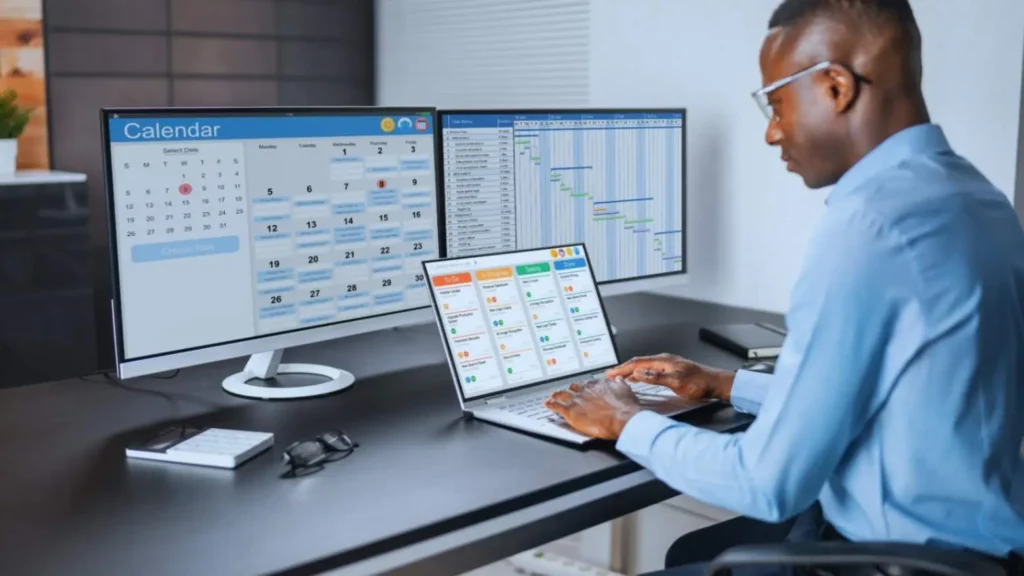
Definition of Project Management Software
Project management software is a digital tool that helps individuals and teams plan, organize, and manage their projects efficiently. It allows users to assign tasks, set deadlines, monitor progress, and collaborate with team members in real time. By bringing all project information into one place, these tools help teams maintain better control over their work and ensure that projects stay on track.
How Project Management Software Works
Project management tools organize project activities into structured workflows. Team members can create tasks, assign responsibilities, and monitor project progress through visual dashboards or boards. Most modern platforms are cloud-based, which means teams can access project information from anywhere and collaborate easily. Notifications, progress tracking, and shared workspaces help ensure that everyone understands their responsibilities.
Why Businesses Need Project Management Tools
- Improve communication between team members
- Organize tasks and project workflows efficiently
- Track deadlines and project progress in real time
- Manage team workloads and resources effectively
- Reduce project delays and improve productivity
Key Features of Project Management Software
- Task management and workflow organization
- Team collaboration and communication tools
- Time tracking and resource management
- Reporting dashboards and analytics
- File sharing and document storage
- Integration with other business tools
Types of Project Management Software
Cloud-Based Project Management Software
Cloud-based project management tools allow teams to access project data from any device with an internet connection. These platforms are especially useful for remote teams and organizations with distributed workforces. Because the software operates online, team members can collaborate, share files, and track project progress without being in the same location.
Agile Project Management Tools
Agile project management tools are designed for teams that follow agile development methodologies. These tools focus on iterative development cycles, quick feedback, and flexible planning. They are commonly used in software development environments where projects evolve continuously and require frequent updates.
Enterprise Project Management Systems
Enterprise project management systems are built for large organizations managing complex projects. These tools offer advanced capabilities such as portfolio management, financial tracking, resource allocation, and performance analysis. Large enterprises often rely on these platforms to manage multiple projects simultaneously.
Simple Task Management Tools
Simple task management tools focus on organizing tasks rather than providing full project management functionality. These tools are ideal for freelancers, small teams, or individuals who need a straightforward solution for managing tasks and deadlines.
Best Project Management Software in 2026
Asana
Asana is widely used by teams that need simple task management and collaboration features. It provides project boards, timelines, and automation tools that help teams stay organized and improve productivity.
Pros
- Easy-to-use interface
- Strong task management features
- Good collaboration tools
Cons
- Limited reporting features
- Can become complex for large teams
ClickUp
ClickUp is known for its powerful customization options. Teams can create unique workflows, dashboards, and task views based on their project needs.
Pros
- Highly customizable workflows
- Multiple project views
- Strong collaboration features
Cons
- Initial setup can be complicated
- Requires time to learn advanced features
Trello
Trello is a visual project management tool based on Kanban boards. It helps teams organize tasks using cards and lists.
Pros
- Simple and intuitive interface
- Great for small teams and personal projects
- Easy task tracking
Cons
- Limited advanced features
- Not ideal for complex projects
Jira
Jira is widely used by software development teams. It provides powerful tools for issue tracking, bug management, and agile workflows.
Pros
- Ideal for software development teams
- Strong issue-tracking system
- Supports agile methodologies
Cons
- Difficult for beginners
- Complex interface for non-technical users
Project Management Software Comparison Table
| Software | Best For | Key Features | Ease of Use | Pricing Model |
| Asana | Small to large teams | Task management, workflow automation, timelines, team collaboration | Easy to moderate | Free plan + paid plans starting around $10/user/month |
| Trello | Small teams & beginners | Kanban boards, drag-and-drop tasks, simple collaboration | Very easy | Free plan available + premium plans |
| ClickUp | Remote teams & power users | All-in-one workspace, time tracking, docs, automation | Moderate learning curve | Free plan + paid plans |
| Jira | Software development teams | Agile boards, issue tracking, sprint planning, bug tracking | Complex for beginners | Free for small teams + paid plans |
| Monday.com | Enterprises & large teams | Visual dashboards, automation, workflow customization | Easy to use | Paid plans starting around $12/user/month |
Free vs Paid Project Management Software

Benefits of Free Project Management Tools
- No initial investment required
- Suitable for freelancers and small teams
- Basic task management features
- Easy to start and test
Advantages of Paid Project Management Software
- Advanced automation features
- Detailed reporting and analytics
- Better integrations with business tools
- Strong security and support
How to Choose the Best Project Management Software
Assess Your Team Workflow
Before selecting a project management tool, analyze how your team currently works. Understand communication patterns, task structures, and the most common challenges your team faces during project execution.
Identify Problems and Required Features
- Lack of communication between team members
- Missed deadlines or delayed tasks
- Difficulty tracking project progress
- Poor resource management
- Inefficient file sharing
Compare Features, Pricing, and Integrations
- Check essential features required for your workflow
- Compare pricing plans across different tools
- Evaluate integrations with existing business software
- Read user reviews and ratings
Test Tools with Free Trials
Most project management platforms provide free trial periods. Testing different tools helps teams understand their functionality and determine which solution best fits their workflow.
Benefits of Using Project Management Software
- Better organization of tasks and projects
- Improved communication between team members
- Faster progress tracking and reporting
- Efficient resource and time management
- Increased productivity and accountability
Common Challenges When Using Project Management Software
- Learning curve for new users
- Integration issues with other business tools
- High subscription costs for advanced features
- Overly complex interfaces in some platforms
Future Trends in Project Management Software

AI and Automation in Project Management
Artificial intelligence is transforming project management by automating repetitive tasks and analyzing project data. AI tools can predict potential delays, suggest improvements, and help managers make better decisions.
Remote Team Collaboration Tools
As remote work becomes more common, project management software is evolving to support better virtual collaboration. Modern platforms include features like video meetings, shared workspaces, and real-time communication.
Advanced Data Analytics for Projects
Future project management platforms will include advanced analytics capabilities that help organizations evaluate team performance, track productivity trends, and improve overall project outcomes.
FAQ
1. What is project management software and how does it work?
Project management software is a digital tool that helps teams plan, organize, track, and complete projects efficiently by managing tasks, deadlines, collaboration, and progress in one centralized platform.
2. What are the main features of project management software?
Project management software typically includes task management, team collaboration tools, time tracking, reporting dashboards, file sharing, and integrations that help teams manage workflows and improve productivity.
3. Who should use project management software?
Project management software is useful for businesses, project managers, freelancers, and remote teams who need to organize tasks, track project progress, collaborate effectively, and manage deadlines.
4. What are the benefits of using project management software?
Using project management software improves team collaboration, organizes tasks efficiently, tracks deadlines, increases productivity, and helps businesses complete projects on time while managing resources effectively.
5. How do you choose the best project management software?
To choose the best project management software, evaluate your team size, required features, budget, integrations, and workflow needs, then compare tools and test free trials before making a final decision.
Conclusion
Project management software has become an essential tool for modern businesses. It helps teams organize tasks, improve collaboration, and complete projects efficiently. By choosing the right software, organizations can streamline their workflows, reduce project delays, and achieve better results.
Before selecting a project management tool, businesses should evaluate their workflow, identify key challenges, and compare different platforms based on features and pricing. With the right solution in place, teams can work more effectively and manage projects with greater confidence.